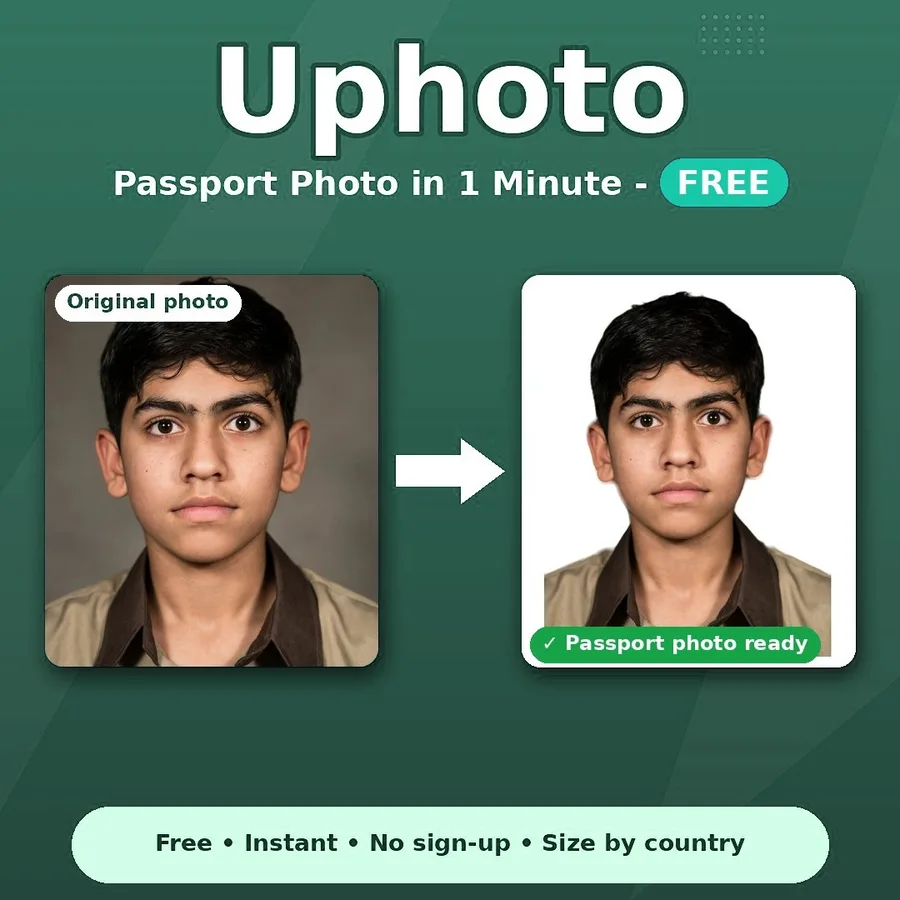
Preparing a passport, visa, or ID photo often turns into a frustrating task. Every country enforces strict rules on photo dimensions, head alignment, and background colors, while most online passport photo tools either charge high fees at checkout or require you to upload sensitive personal photos to external servers.
If you want a fast, private, and completely free way to prepare compliant document photos from your browser, Uphotos.org offers a straightforward solution.
Why Browser-Based Processing Matters for ID Photos
When you upload a portrait to a typical online editor, your image travels to a remote server for cropping and background editing. With identity documents, keeping personal images off third-party databases is a major privacy advantage.
Uphotos.org runs directly inside your web browser. Because the formatting and background adjustments happen locally on your device, your photos stay private, load faster, and require zero account registration.
How to Create Your Passport or ID Photo on Uphotos.org
You can prepare a ready-to-use document photo in four simple steps:
- Add Your Photo: Open Uphotos.org on your phone or computer and select a clear, front-facing photo taken in even lighting.
- Select Your Country: Choose the country or document standard you need. The tool automatically sets the required dimensions and framing proportions for that region.
- Choose the Background Color: Switch the background to white, blue, or off-white depending on your application's official guidelines.
- Download in JPG or PDF: Once your photo looks right, download it immediately in JPG format for online portal uploads or PDF format for easy printing—at no cost and without watermarks.
Practical Tips Before You Start
- Use Even Lighting: Stand facing a window or soft light source to avoid harsh shadows behind your head or under your chin.
- Keep a Neutral Expression: Look straight at the camera with your eyes open and a natural, closed-mouth expression.
- Check Local Rules: Confirm whether your visa or ID portal asks for a digital JPG file or a printable sheet before downloading.
Whether you are applying for a passport renewal, a travel visa, or an online ID card, Uphotos.org gives you a quick, privacy-first way to get the exact dimensions and file format you need without paying for studio visits or subscriptions.
Comments
Makers read every reply. Add yours.
Sign in to comment