Your minimalist online alarm clock, timer & stopwatch. Set instant alerts right in your browser—no downloads, no clutter, just on time. ⏰✨
Best AI Tools in 2026
Explore innovative tools and applications that bring machine learning and automation to creative and everyday tasks. Browse 1810 AI tools from indie makers and solo founders, ranked by upvotes.






FindSkill.ai
Free AI courses with certificates. 200+ hands-on lessons.
862views

Mechasm.ai
Automate QA with plain English. No code, no setup, no flakiness.
1,369views









That’s every product in this category, ranked. See the latest launches, or submit your own product.
In numbers · State of Indie, November 2026
Compare every category- can be used for free (free or freemium)
- 77%
- can be used for free (free or freemium)
- median starting price a month (n = 377)
- $12.99
- median starting price a month (n = 377)
- present themselves as AI products
- 100%
- present themselves as AI products
- ship on Web
- 95%
- ship on Web
About AI tools
This is the wide net for products that put machine learning to practical use. It holds assistants for everyday tasks, fundraising helpers, three-dimensional model generators, learning platforms and plenty that does not fit neatly elsewhere. When a product has a more specific home, it appears there as well: AI agents, AI coding, AI image, AI video and AI writing each have their own page. Think of this one as the place to browse when you are not sure what kind of tool you want. Sloyd, for example, generates game-ready models, and FindSkill.ai teaches AI skills through lessons.
Because the category is so broad, choose by the job rather than the label. Ask what the model actually does for you and what you still have to check yourself. Compare how the product handles your data, whether it names the models behind it, and whether you can bring your own key. Pricing is usually subscription, credits or usage, and credits can run out faster than a plan name suggests. Beware of a thin wrapper around a general chatbot unless the interface or workflow genuinely saves you time.
The strength of indie-built options is focus: a small team can spend all its time on one workflow, and the maker is typically available when the output is wrong. That feedback loop is how many of these products improve.
Frequently asked questions
How do I choose an AI tool?
Start from the task, not the technology. Try the free tier on real work, check how it treats your data, see which models it uses, and compare how pricing behaves as your usage grows.
What is the difference between this and the AI sub-categories?
This page is the broad collection. Sub-categories such as AI agents, AI coding, AI image, AI video and AI writing group tools by output. If you know the output you want, start there.
Are free AI tools worth using?
Often yes for trying a workflow, but free plans usually limit usage, quality or exports. Check whether your data is stored or used for training, and move to a paid plan only when the tool earns its place.
Login streak
Community
See allWhy every PixelKaro tool runs in your browser
ViralCloner Requirements and Installer Steps ViralCloner documentation lists Windows 10/11 (64-bit), at least 4 GB RAM, 500 MB free space, and internet access. Install by running the setup file and following the wizard. https://viralcloner.com/documentation
Who to follow
See all- Rachana Vora

19 followers
- Stanly Thomas

17 followers
- Greg Stoos

13 followers
- Vaclav Vlasek
7 followers
- Burak Oslu
4 followers
- Tan Chee ling
1 follower
Latest comments
See allHi, I'm the maker of PixelKaro. I built it because students and job seekers in India keep getting stuck on forms that ask for a photo under 50 KB or a signature at an exact size. Everything runs in your browser, so your files are never uploaded, and it works in English and Hindi. It's free with no sign-up. If a tool is missing or an exact size doesn't work for your form, tell me and I'll look into it.
onPixelKaro2likes
I really enjoyed the characters and the ability to create your own makes the app feel more personal
onAfterLid1like
Maker here 👋 New: every @fuck.it user now gets a free link-in-bio page at fuck.it/@username. Like Linktree, but on the same name as your inbox. No extra subscription, no tracking pixels. Happy to answer any questions!
on@fuck.it
Sponsors
Just joined
See all- Ricardo Sousa
Joined
- Sergi Ruiz
Joined
- Viking Anvil
Joined
- m4d smith
Joined
- Andy

Joined
- Luke Nelson
Joined
Latest posts
See allNews for RosarioSIS, the free Student Information System: we have a new plugin! Responsive List Unfold: https://gitlab.com/francoisjacquet/ResponsiveListUnfold/ Puts an "Unfold List" button below lists to unfold / expand them (on smartphones or small screens only). Try it on the demo: https://www.rosariosis.org/demo/
⏳ Time is the most valuable gift you have! Once time passes, no amount of money can bring it back. 💯 Don't waste your precious seconds waiting for the perfect moment. Start today, work for your dreams, and make every moment count! 🚀 Remember: You can earn money again, but you can never earn back lost time. ⏰ Make Every Second Count! #TimeIsPrecious #Motivation #TimeManagement #LifeQuotes #MakeEverySecondCount #ClockZoo
White products on a white background are the hardest case for any cutout tool: the edge disappears into the backdrop, so the mask has nothing to bite on. Three things that help before you upload. Put a faint grey card behind the product. A pure white backdrop at the edges gives zero contrast; 5% grey is invisible after processing but gives the edge something to find. Light from one side. Flat frontal light flattens the very shading a segmentation model uses to separate product from backdrop. Keep the contact shadow. A soft shadow under a white sneaker stops it floating and reads as real to buyers. If all you have is a white-on-white JPEG, pull the backdrop to about 250 with a levels pass instead of 255, let the tool find the boundary, then restore true white on export. I build CleanWhiteBG (https://cleanwhitebg.com): white-fill JPG for marketplaces, transparent PNG when you need the cutout, and batch runs for whole catalogues.

Awesome Indie
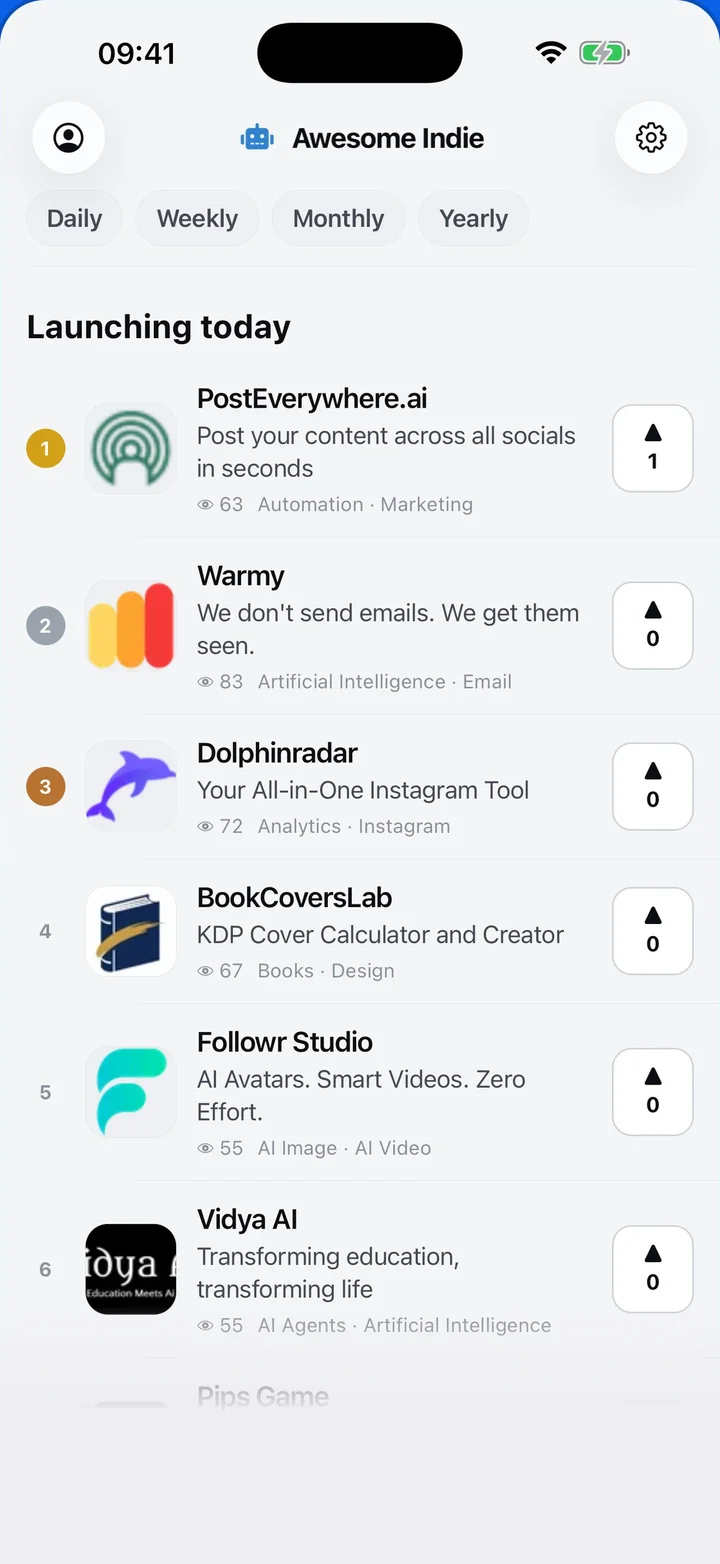
Free on iPhone and Android
Today's launches, in your pocket
Upvote, comment and follow with the account you already have.
Categories
Browse all- Daily
- Weekly
- Monthly
- Yearly
- Community
- Leaderboard
- Users
- Map
- Pricing
- App
- MCP
- Open Analytics
- Status
- About
- FAQ
- Terms
- Privacy
- Livro de Reclamações
© 2026 Awesome Indie