Ethan Lee

@enchenglin

  • Joined September 2026

Activity

MonWedFri
DecJanFebMarAprMayJunJulAugSepOctNov

23 contributions in the last year

LessMore

Posts

An answered call is easier to follow up when the note tells the next person what to do.

I work on Frontel, an AI phone answering service for businesses. A useful call handoff can fit four lines: • Who called and which number to call back. • What they need help with. • Their requested date or time, if relevant. • What the team needs to confirm next.

Frontel brings the conversation and that follow-up context together. Businesses add their services, opening hours and FAQs, then use a dedicated US number. The AI answers questions using those details and saves call notes, callback details and appointment requests in the business's private Messages inbox. Staff review appointment requests and confirm arrangements with callers.

The idea is to make the next action clear for the person picking up the enquiry, even if they weren't on the call.

https://aiphoneansweringservice.io/

For makers building for small businesses: what information makes a call note useful at first glance?
A wrong guess can be useful information: it shows which way a clue has sent the room.

I work on Blather, a free browser word party game for 2–6 friends. One player builds clues from limited English word tiles and sentence frames; everyone else types guesses. Earlier guesses can become material for another clue.

The loop: • Build a clue with the available words. • Read what others think it means. • Use their guesses to steer the next clue.

A wrong answer gives the describer something to work with, instead of becoming a dead end.

Share a room link or code and join with a nickname. Choose 1–5 rounds; everyone describes once per round. Two players cooperate; groups of 3–6 have individual scores. No player accounts or downloads. For remote play, keep a voice call open.

https://blatherround.com/

For multiplayer makers: how do you make a failed attempt useful to the next person?

A useful handwriting sheet gives someone a clear model and enough room to try it themselves.

I work on Cursive Practice Sheets, a free browser tool for making that page from your own text. A simple activity:

  1. Start with a name, a few familiar words or one short sentence.
  2. Choose cursive or print, gray tracing text and a writing guide that fits the task.
  3. Download the PDF on A4 or US Letter paper, trace the model, then copy it into the writing space.

The editor also offers solid text, several text sizes, and ruled or blank layouts. Parents and teachers can prepare a focused activity without creating an account or paying for a download.

The worksheet maker: https://cursivepracticesheets.com/

For makers of learning tools: which preview detail helps people feel ready to print—the size of the letters, the spacing or the page layout?

I work on Pronunciation Coach, a browser tool for English pronunciation practice.

The useful step after feedback is choosing what to do on the next attempt. A simple practice loop: • Keep the same sentence so you can compare attempts. • Pick one word from the feedback and rehearse it in its phrase. • Return to the full sentence, record it, then listen back for that word.

Pronunciation Coach brings recording, playback and word- and sound-level feedback into that loop. Guided practice covers 30 everyday situations, with speaking cues, reference audio and saved progress.

There are three free checks per day, shared with a two-sentence coffee-ordering sample. Pro is optional and adds 300 checks per subscription month.

The product: https://aipronunciationcoach.com/

For makers building learning tools: how do you help someone turn feedback into one clear next action?

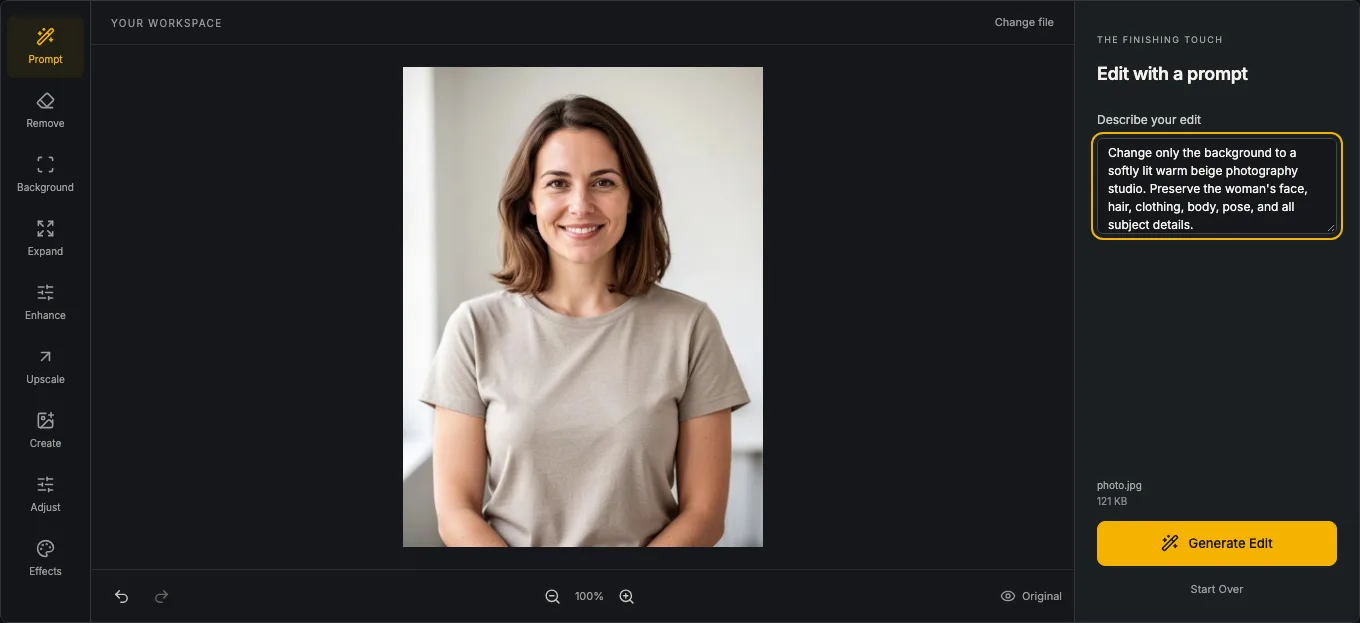
Working on Free Photo Editor, a browser workspace for the image jobs between building a product and publishing it.

A quick launch-image checklist: • Keep the original and edit a copy. • Crop to the placement's aspect ratio before the final resize, so the subject stays in frame. • Use JPEG for photos, or PNG when the image needs transparency. • Open the export at its intended display size and check small text and edges before uploading it.

The editor brings cropping, resizing, color adjustments, compression and format conversion together, with basic editing available without an account. AI background removal, object removal, upscaling and generation are there for images that need more work. AI actions use a shared free daily allowance; the regular tools keep working when it is used.

I'm on the product team. Here's the workspace: https://freephotoeditor.io/

Other makers: is your usual image bottleneck choosing dimensions, keeping file size down, or preserving quality?

I work on CADEditor, a free browser workspace for 2D CAD. A useful handoff separates two files: the editable drawing and the review copy.

Before sending a revision, check the units and one known dimension, inspect the visible layers and text, then reopen the export. Keep DWG/DXF for further editing; use a vector PDF when the recipient mainly needs to read or print it.

CADEditor brings those steps together: open DWG, DXF or DWT, measure or revise the drawing, and export DWG/DXF, SVG or a watermark-free vector PDF. Ordinary file work runs locally without an account or installation. Cloud saving, temporary sharing and API processing are separate upload workflows.

The browser allowance is 50 file tasks per UTC day, with files up to 100 MB. This is 2D CAD, not a 3D modeller.

The workspace: https://cadeditor.io/

I work on Krillion Answers, a free companion for the daily word-and-knowledge game. One design decision worth sharing: “accepted” and “perfect” are separate results.

A recorded answer can score 10, 15, 30, 60, 85 or 100 points. Our checker keeps the saved date and question attached to the lookup, then shows the matched official entry and its exact score. A word that sounds unusual is not enough to assign it 100 points.

That distinction also shapes the empty state. “Not in this saved pool” is different from “the official game will reject it”; an unavailable lookup needs a different message again. Close-spelling suggestions stay attached to their own recorded answers rather than silently validating the original input.

The useful part is making the evidence easy to act on: compare displayed scores, inspect a recorded alternative, or copy a pick without an account.

The checker: https://krillionanswers.net/answer-checker/

I maintain JPG to SVG, a free browser workspace for preparing artwork and tracing it into SVG paths. One useful workflow for indie makers is to crop a logo or icon, set its dimensions, then send the edited image straight into tracing without selecting the file again.

I kept those steps together so a small design task can stay in one place. Color-detail and smoothing controls, plus the original-versus-vector comparison, help with checking edges before downloading. Image processing stays on the device, and there is no signup or daily conversion quota.

The tool: https://jpgtosvg.io/

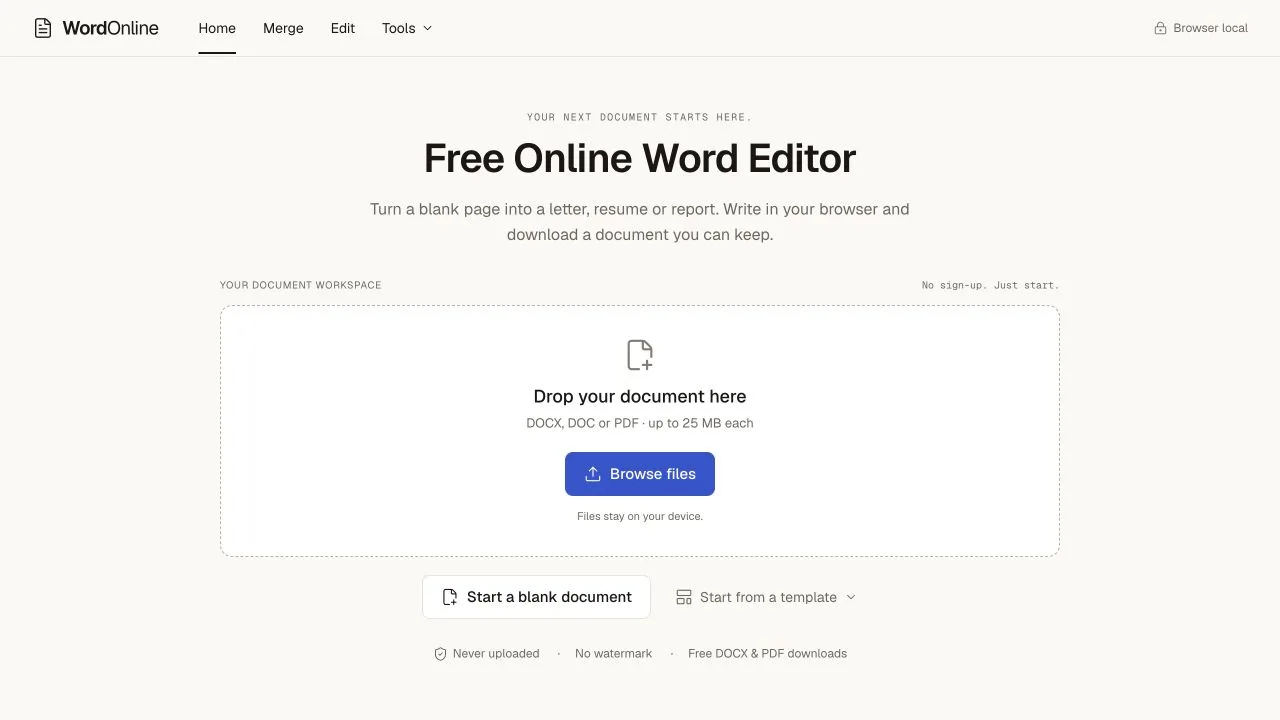
Small document jobs often just need a file at the end: update a cover letter, tidy a report, or combine a few pages for sharing.

WordOnline keeps that workflow in the browser. Start with a blank document or an editable template, or open a DOC, DOCX or PDF. Format text, tables and images, then download DOCX for more editing or PDF for sharing. Document content is processed locally.

A useful workflow is to edit the pieces separately, arrange them in the merge tool, and export one document package. The current tools are free, with no account, installation or added watermark.

Try the editor and templates: https://wordonline.io/