⏳ Time is the most valuable gift you have! Once time passes, no amount of money can bring it back. 💯 Don't waste your precious seconds waiting for the perfect moment. Start today, work for your dreams, and make every moment count! 🚀 Remember: You can earn money again, but you can never earn back lost time. ⏰ Make Every Second Count! #TimeIsPrecious #Motivation #TimeManagement #LifeQuotes #MakeEverySecondCount #ClockZoo
Best Monitoring Tools in 2026
Find out something broke before your users tell you — uptime checks, error tracking, log aggregation, status pages and on-call alerting. Browse 94 monitoring tools from indie makers and solo founders, ranked by upvotes.






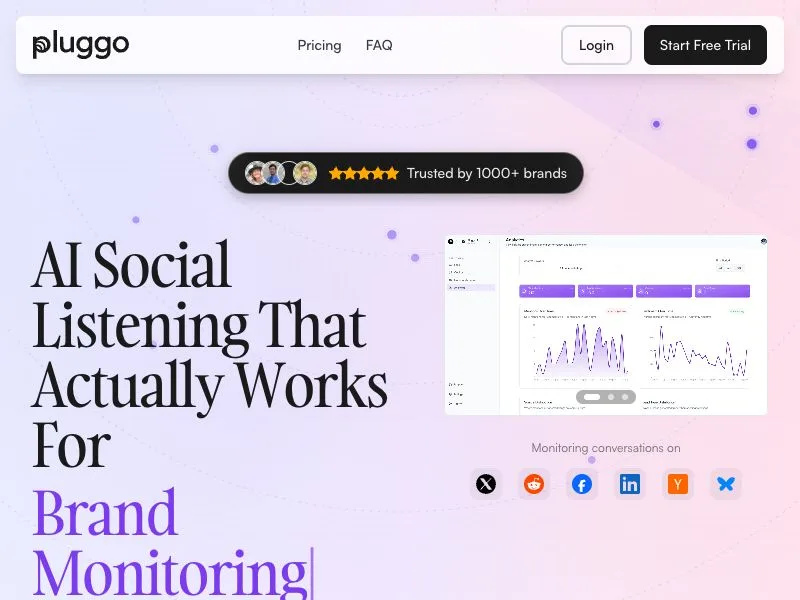
zuzia.app - AI-Powered Server Monitoring
#AI #ServerMonitoring #Automation #DevOps #TaskScheduler #Cloud
1,505views






That’s every product in this category, ranked. See the latest launches, or submit your own product.
In numbers · State of Indie, November 2026
Compare every category- can be used for free (free or freemium)
- 80%
- can be used for free (free or freemium)
- present themselves as AI products
- 34%
- present themselves as AI products
- ship on Web
- 94%
- ship on Web
- have five or more look-alikes
- 44%
- have five or more look-alikes
About monitoring tools
Monitoring is for knowing that something is broken before a customer emails you. The products here include uptime checks, error tracking, log collection, status pages and alerting for whoever is on call. The people using them are mostly developers, small teams running a SaaS and operators looking after a handful of servers. It sits next to DevOps and developer tools, and next to analytics, though the question is different: analytics asks what visitors did, monitoring asks whether the thing is still working.
When choosing, think about what you actually need to watch. A simple uptime ping is enough for a side project, while a product with paying users probably needs error tracking and a status page too. Look at how alerts reach you, whether by email, chat or phone, how often checks run, and how noisy the alerts are, because a tool that cries wolf gets muted. Self-hosting is a real option for some of these and matters if your data cannot leave your infrastructure. IncidentHub, which watches third-party cloud and SaaS services in one place, and Routebase, aimed at API drift, show how specific a monitoring tool can get.
Indie makers tend to build monitoring tools because they hit the gap themselves. That usually means a clear scope, quick support and pricing that fits a small project.
Frequently asked questions
What is the difference between uptime monitoring and error tracking?
Uptime monitoring checks from outside whether your site or API responds. Error tracking runs inside your application and records the exceptions users actually hit. They catch different failures, so many teams use both: one tells you the site is down, the other tells you why a feature is broken.
How do I pick a monitoring tool for a small project?
Start with the smallest tool that covers your real risks: an uptime check and alerts to a channel you read. Compare check frequency, alert channels, status page support and how pricing scales as you add services. Avoid tools that would take longer to configure than your project took to build.
Can I self-host a monitoring tool?
Some can be self-hosted, which keeps logs and check data on your own infrastructure. The trade-off is that you then have to monitor the monitor and keep it updated. Check each product's page to see whether it offers a hosted plan, a self-hosted option or both.
Login streak
Community
See allWhite products on a white background are the hardest case for any cutout tool: the edge disappears into the backdrop, so the mask has nothing to bite on. Three things that help before you upload. Put a faint grey card behind the product. A pure white backdrop at the edges gives zero contrast; 5% grey is invisible after processing but gives the edge something to find. Light from one side. Flat frontal light flattens the very shading a segmentation model uses to separate product from backdrop. Keep the contact shadow. A soft shadow under a white sneaker stops it floating and reads as real to buyers. If all you have is a white-on-white JPEG, pull the backdrop to about 250 with a levels pass instead of 255, let the tool find the boundary, then restore true white on export. I build CleanWhiteBG (https://cleanwhitebg.com): white-fill JPG for marketplaces, transparent PNG when you need the cutout, and batch runs for whole catalogues.
Why every PixelKaro tool runs in your browser
Who to follow
See all- arguiwu

30 followers
- Muhammad Tahir

18 followers
- Vatsal Upadhyay

13 followers
- Joaquín Benítez

8 followers
- Mohammed Imtiyaz
8 followers
- WAN TANG
5 followers
Latest comments
See allHi, I'm the maker of PixelKaro. I built it because students and job seekers in India keep getting stuck on forms that ask for a photo under 50 KB or a signature at an exact size. Everything runs in your browser, so your files are never uploaded, and it works in English and Hindi. It's free with no sign-up. If a tool is missing or an exact size doesn't work for your form, tell me and I'll look into it.
onPixelKaro2likes
I really enjoyed the characters and the ability to create your own makes the app feel more personal
onAfterLid1like
Maker here 👋 New: every @fuck.it user now gets a free link-in-bio page at fuck.it/@username. Like Linktree, but on the same name as your inbox. No extra subscription, no tracking pixels. Happy to answer any questions!
on@fuck.it
Sponsors
Just joined
See all- FoodHuntGuide
Joined
- AProxy
Joined
- cena wu
Joined
- Anindya Banerjee
Joined
- Rudy Wu
Joined
- Jim Chandler
Joined
Latest posts
See allShipped a free construction draw schedule template: deposit, progress draws and final payment, each tied to a visible stage, with paid-to-date and left-to-collect totals. Three versions (residential, bank draw tracker, remodel), plain .xlsx, no email gate. Contractors: what would you add? https://wisegrid.co/templates/construction-draw-schedule-template
@focus-read is now on v2.6 with 15+ language support, theme specifically for OLED screens, and features to help you read without distractions.
News for RosarioSIS, the free Student Information System: we have a new plugin! Responsive List Unfold: https://gitlab.com/francoisjacquet/ResponsiveListUnfold/ Puts an "Unfold List" button below lists to unfold / expand them (on smartphones or small screens only). Try it on the demo: https://www.rosariosis.org/demo/

Awesome Indie
Free on iPhone and Android
Today's launches, in your pocket
Upvote, comment and follow with the account you already have.

Categories
Browse all- Daily
- Weekly
- Monthly
- Yearly
- Community
- Leaderboard
- Users
- Map
- Pricing
- App
- MCP
- Open Analytics
- Status
- About
- FAQ
- Terms
- Privacy
- Livro de Reclamações
© 2026 Awesome Indie