






Disposable Email API for Testing & Automation by Best-TempMail.com Create temporary inboxes and read incoming mail programmatically. Built for QA, CI/CD pipelines, and automated signup testing. Official SDKs for Node and Python, an MCP server for AI assistants, and a free tier that needs no signup at all. BASE: https://api.best-tempmail.com/v1 Documentation: https://best-tempmail.com/api
Best Legal Tools in 2026
From contracts to compliance, discover a range of innovative legal tools and resources to streamline your workflow. Browse 57 legal tools from indie makers and solo founders, ranked by upvotes.
That’s every product in this category, ranked. See the latest launches, or submit your own product.
About legal tools
Legal tools on Awesome Indie include contract generators, e-signature, estate planning guides, trademark management, flight compensation claims, case trackers for immigration attorneys and AI assistants that answer legal questions with references. Users are founders, freelancers, lawyers and ordinary people dealing with paperwork. Productivity and AI agents are the closest neighbours, and some products overlap with travel when they handle claims. This page does not replace a lawyer, and neither do the tools on it.
Choosing a legal product starts with jurisdiction. A contract template or question-answering tool written for one country may be wrong or misleading in another, so check which laws it covers and how often content is reviewed. Compare whether documents are reviewed by lawyers, as Legislate says its contracts are, or generated automatically. For AI assistants like Digest PH AI, which gives answers with legal basis, look at whether sources are cited so you can verify them. Check pricing models, since some take a percentage of a claim, like compensation services. For e-signature such as DocuChain, ask about audit trails and where signed files are stored. Confidentiality matters throughout, because you may be uploading sensitive documents.
Indie makers often build for a specific legal chore they found painful. That gives you focused tools, reasonable pricing and a maker who can explain what the product does and does not cover.
Frequently asked questions
How do I choose a legal tool or contract generator?
Check which jurisdictions it covers, whether lawyers reviewed the templates and how often they are updated. Look at where documents are stored and who can see them. For high-stakes matters, use the tool as a draft and have a lawyer review it.
Can AI legal assistants replace a lawyer?
No. They can explain concepts and point to sources, but they can make mistakes and do not know your full situation. Verify citations, treat answers as general information and consult a qualified lawyer for decisions with real consequences.
Is it safe to upload legal documents to an online tool?
Only if you trust the maker's handling. Read the privacy policy, look for encryption and deletion options, and avoid uploading highly sensitive files to tools that say little about retention.
Login streak
Community
See allSome of the projects I've been working on include: 📱 NotLate – A wellness app designed to help with overthinking and restless nights. 💰 ZapSpend – An expense tracker with receipt scanning, voice input, and CSV/PDF exports. 🚛 Trucker Diary – An iOS app built for truck drivers. 🎵 Duo Vinyl – A digital vinyl turntable experience for music lovers. As a solo developer, one of my biggest challenges isn't just building products. It's getting them discovered, attracting users, and figuring out what actually works after launch. 🌐 https://www.adribyte-studio.com/mobile-apps #IndieHacker #IndieDeveloper #iOSDevelopment #SaaS #Startup
HealthE AI helps you manage fitness and wellness with AI-driven calorie tracking, macro targets, and personalized workout recommendations. It lets you log meals by photo or text, then analyzes nutrition to set your caloric deficit and macronutrients based on goals like fat loss or muscle gain. HealthE AI also tracks hydration, offers a daily feed, and guides setup through a questionnaire so you can follow a focused plan and measure progress clearly. HealthE AI is coming soon!
Who to follow
See all- Kevin Friesen

16 followers
- Paul Letourneau

10 followers
- Eva Ćurković

10 followers
- Suyash Thakur

8 followers
- Gustavo Silva

8 followers
- Boyd Edmondson
1 follower
Latest comments
See allI really enjoyed the characters and the ability to create your own makes the app feel more personal
onAfterLid1like
Sponsors
Just joined
See allLatest posts
See allI'm building https://pickode.com, a browser extension that copies a section of any website as code you'd actually keep. It started from something I kept doing on client work. I'd find a section I liked, open DevTools, copy the styles, and end up with a wall of computed pixels and not a single media query. Pickode reads the page's original stylesheets instead, so you get the rules the author wrote, breakpoints and hover states included. You click a section and pick a format: HTML + CSS, React, Tailwind, Vue or Astro. It also pastes into Bricks and Webflow as native elements, and builds Elementor templates. Lately I've been reworking the Bricks export. A tester on Reddit sent me a page that looked fine on desktop and fell apart on mobile, and fixing it taught me more about how Elementor handles responsive layouts than I ever wanted to know. It's free to try on Chrome and Firefox.
I'm Khizar, founder of PotatoTools. I built PotatoTools because I was frustrated with online tools that were full of ads, paywalls, and forced signups. PotatoTools focuses on fast, browser-based tools that help with data conversion, calculations, content creation, productivity, and everyday tasks. No ads. No signup. No unnecessary complexity. Just useful tools that work. We're just getting started and would love your feedback on what tools you'd like to see next. Thanks for checking it out! Visit Potato Tools : https://potatotools.com/
A reading-note workflow worth testing: keep the excerpt and your interpretation separate. Capture a short passage with its source, then write one sentence about why it matters. Put related ideas into a mind map, and revisit the original passage before turning a note into a claim. This keeps a memorable quote from becoming a conclusion without context. This is the workflow behind MindNote, the cross-platform reading app I am building. It connects book excerpts, personal notes and mind maps, with a route back to the source and sync across Windows, macOS, iOS and Android. The product and reading workflow are here: https://www.mindnote.site/ How do you keep your own interpretation distinguishable from an author’s words?

Awesome Indie
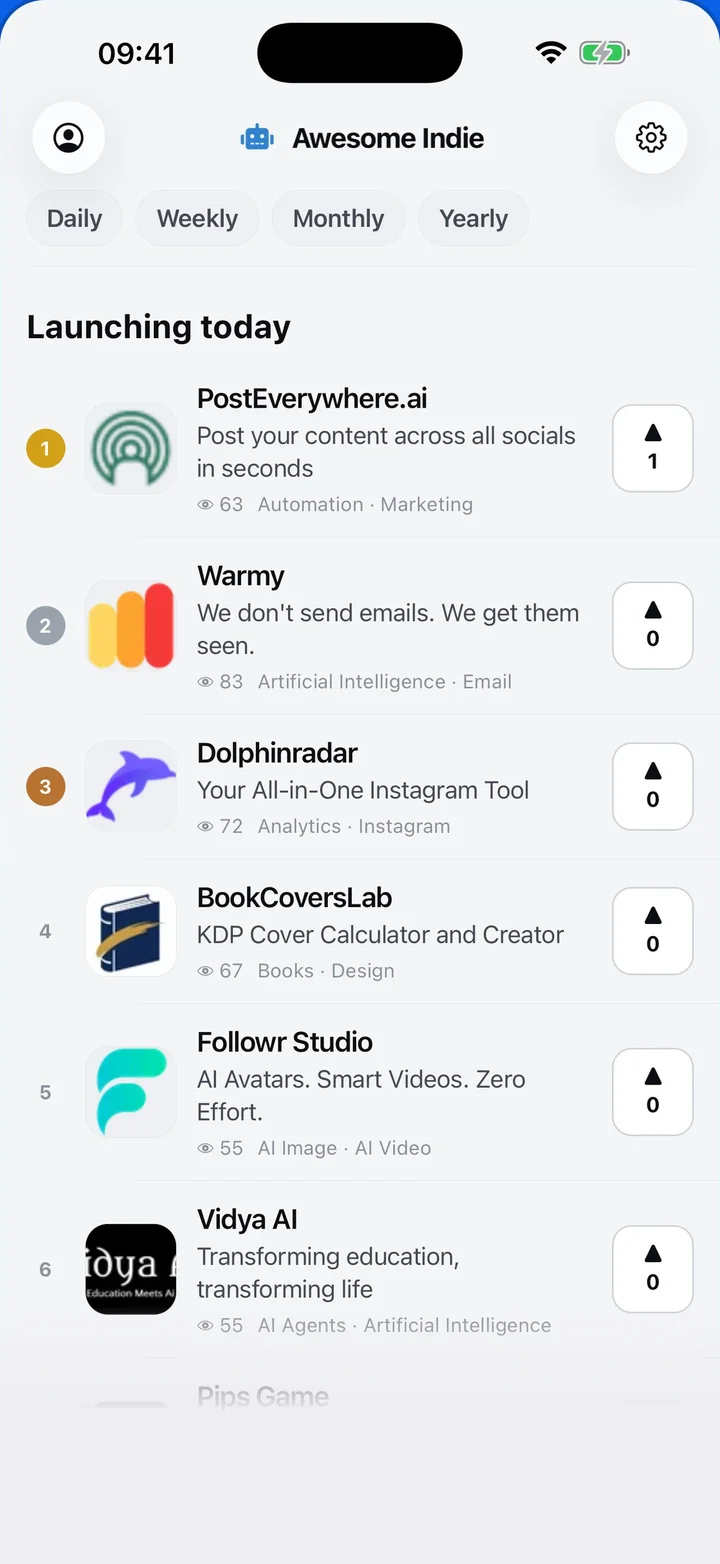
Free on iPhone and Android
Today's launches, in your pocket
Upvote, comment and follow with the account you already have.
Categories
Browse all- Daily
- Weekly
- Monthly
- Yearly
- Community
- Leaderboard
- Users
- Map
- Pricing
- App
- MCP
- Open Analytics
- Status
- About
- FAQ
- Terms
- Privacy
- Livro de Reclamações
© 2026 Awesome Indie