






@focus-read is now on v2.6 with 15+ language support, theme specifically for OLED screens, and features to help you read without distractions.
Discover the next big thing in indie tech
Awesome Indie is where indie makers launch what they built, with new products featured every day and ranked by the community.
Join 12,664 other makers
Google, GitHub, X or email.
Best product launches of May 2021
The best indie products launched in May 2021, ranked by the community.


FeedLetter
Get instant feedback from your readers with a simple feedback tool



That’s it for May 2021. View products from Apr 2021, or submit your own product.
Login streak
Community
See allNews for RosarioSIS, the free Student Information System: we have a new plugin! Responsive List Unfold: https://gitlab.com/francoisjacquet/ResponsiveListUnfold/ Puts an "Unfold List" button below lists to unfold / expand them (on smartphones or small screens only). Try it on the demo: https://www.rosariosis.org/demo/
Why every PixelKaro tool runs in your browser
New podcast episodes
See all
Easiest Way to Make $100k/Month In Real Estate as a Beginner - Brett Malinowski
Brett Malinowski ·

Leaving Corporate for a $5.4m Striping Business
Acquiring Minds ·

214. How to Become Known for What You Do (And Actually Get Paid for It)
Call Her Creator with Katelyn Rhoades ·

The Surprising Reason Your Next Million-Dollar Idea Might Feel TOO EASY
Earn Your Happy ·

eCommerce, Clearly | Episode 28: India Festive Sale 2026 – E-commerce Trends, D2C & Post-Diwali Reset
eCommerce, Clearly ·
Who to follow
See all- Consuelo Sanz

13 followers
- Johann Boschung

11 followers
- Shikhar Agrawal

11 followers
- Almab Khan

9 followers
- Dean Jones

6 followers
- Valter Mendes
1 follower
Latest comments
See allHi, I'm the maker of PixelKaro. I built it because students and job seekers in India keep getting stuck on forms that ask for a photo under 50 KB or a signature at an exact size. Everything runs in your browser, so your files are never uploaded, and it works in English and Hindi. It's free with no sign-up. If a tool is missing or an exact size doesn't work for your form, tell me and I'll look into it.
onPixelKaro2likes
I really enjoyed the characters and the ability to create your own makes the app feel more personal
onAfterLid1like
Maker here 👋 New: every @fuck.it user now gets a free link-in-bio page at fuck.it/@username. Like Linktree, but on the same name as your inbox. No extra subscription, no tracking pixels. Happy to answer any questions!
on@fuck.it
 Ad

Know your site is down before your users do
50 free monitors, no cardStart free
 Ad

Site analytics that finally feel simple
Free forever plan, no cardStart free
Promote your startup here
Reach makers browsing new launches every day, on every page of the site.
Logo, a line of copy and a linkAdvertise
Just joined
See all- Desearch
Joined
- Fabula Studio
Joined
- Michael Zima
Joined
- Denomination Calculator
Joined
- 吕正豪
Joined
- Source SEO
Joined
Latest posts
See allCheck which export the preview is showing A review folder and a delivery folder can both contain cover.png. Put the folder name beside the preview so the reviewer can tell which copy is open. Open the file from the folder you plan to share. Look for one detail you expected to change, such as a newly visible edge after a crop. If the preview still looks like the old export, open the delivered file by name before changing the export settings again.
Building an AI Girlfriend Tool: Why Conversation Quality Matters I’m building an AI girlfriend tool, and one question has shaped my approach: what makes an AI companion worth returning to? A convincing personality is only the starting point. The experience also depends on how naturally a conversation flows, how consistently the companion responds, and whether interactions feel engaging rather than repetitive. There are important design challenges, too: Consistency: A companion’s personality should feel coherent across conversations. User control: People should be able to shape the experience to suit their preferences. Privacy: Intimate conversations call for careful decisions about what data is stored and how it’s handled. Transparency: Users should understand that they’re interacting with AI. For me, building in this space isn’t just about choosing a powerful model. It’s about designing an experience that feels thoughtful, respects the user, and earns their trust.
The most useful AI tools don’t necessarily generate the most impressive demo. They remove friction from work people already need to do. For indie makers, that distinction matters. A narrowly focused tool that turns customer feedback into actionable themes can be more valuable than a general-purpose assistant with dozens of loosely connected features. When evaluating an AI tool, or building one, look beyond the model and ask: Does it solve a recurring problem? Occasional novelty is not the same as lasting utility. Does it fit the existing workflow? Can users verify its output? Does it handle sensitive information appropriately? Is the total cost justified? Include setup time, manual corrections, and ongoing oversight—not just the subscription. For builders, the practical takeaway is straightforward: define the job before choosing the model. Establish what a successful result looks like, test against real examples, and make failures easy to spot and recover from.

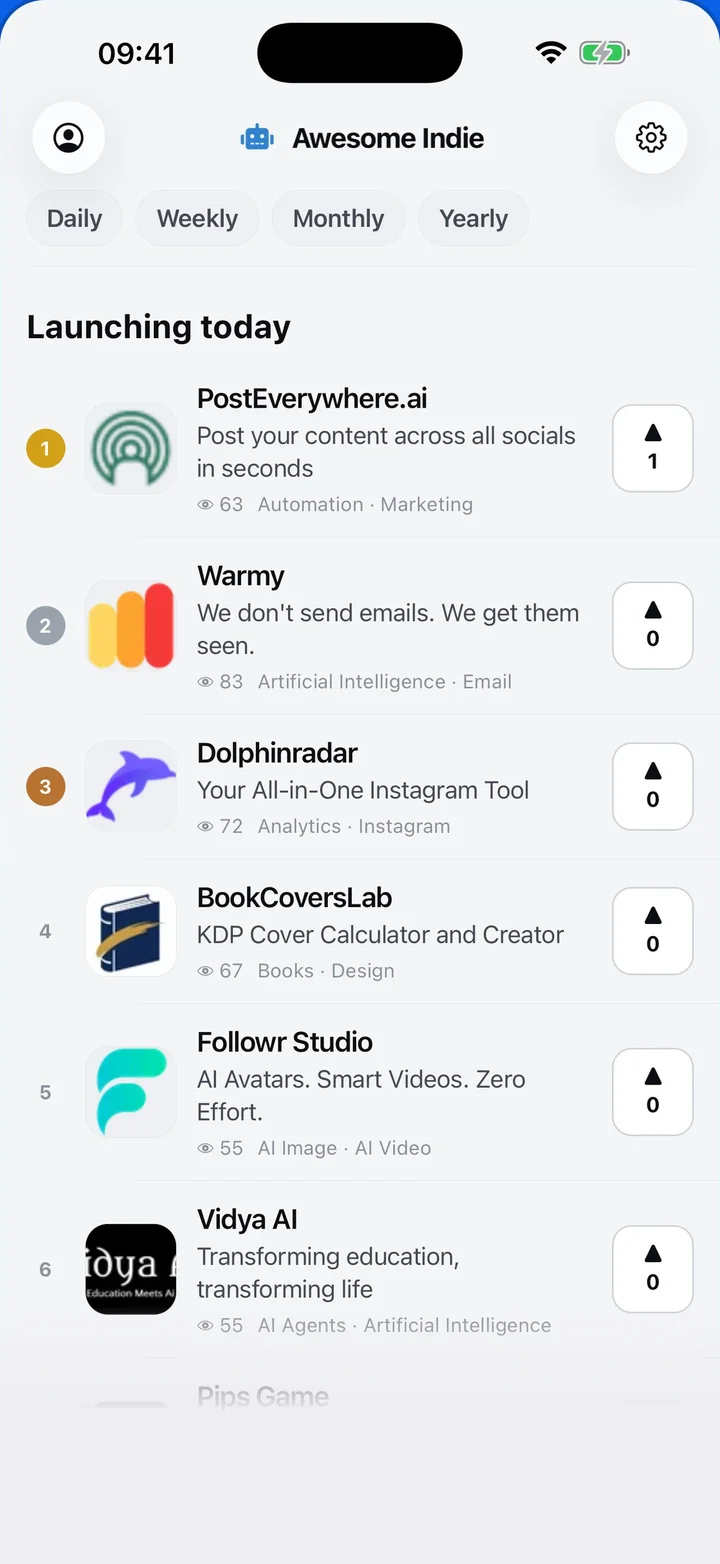
Awesome Indie
Free on iPhone and Android
Today's launches, in your pocket
Upvote, comment and follow with the account you already have.
- Daily
- Weekly
- Monthly
- Yearly
- Community
- Leaderboard
- Users
- Map
- Pricing
- App
- MCP
- Open Analytics
- Status
- About
- FAQ
- Terms
- Privacy
- Livro de Reclamações
© 2026 Awesome Indie